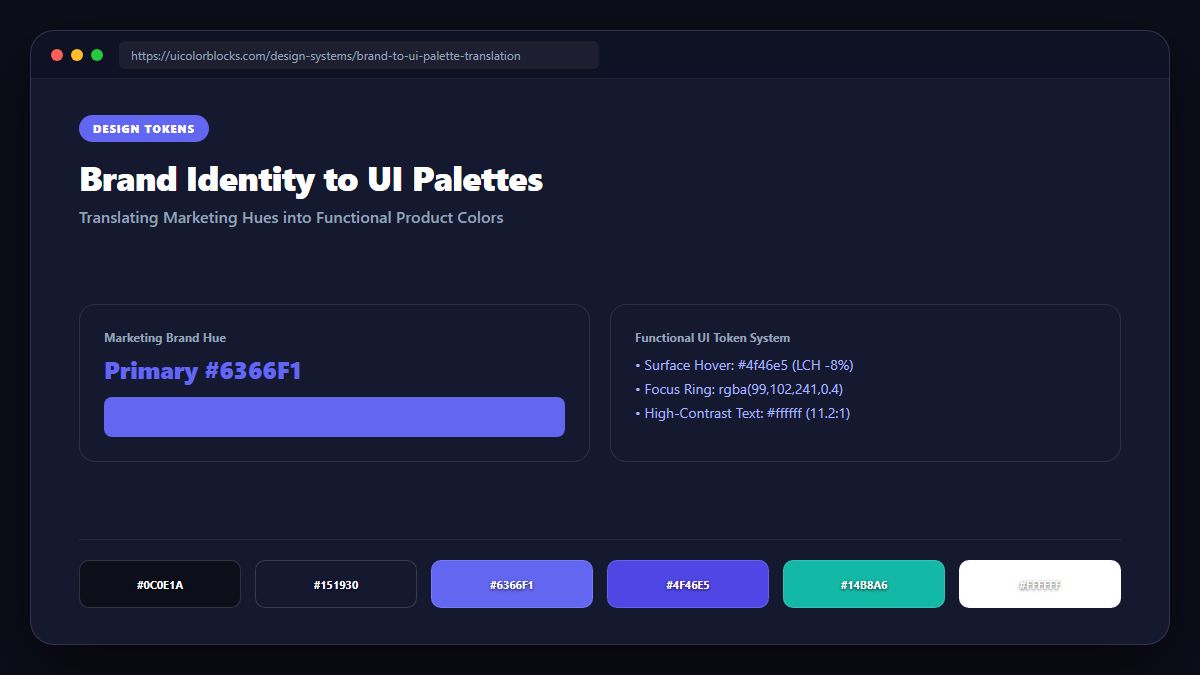
1. The Marketing vs. UI Color Disconnect
Marketing colors are designed for posters, business cards, and billboards—formats viewed for seconds. User interface colors must sustain hours of continuous engagement, accommodate interactive states (hover, focus, pressed, disabled), and adapt to light and dark viewports.
/* Brand Translation Matrix */
:root {
  /* Brand Input: #6366f1 (Indigo) */
  --brand-50:  #eef2ff;  /* Form input focus ring / subtle hover */
  --brand-100: #e0e7ff;  /* Active table row highlight */
  --brand-500: #6366f1;  /* Original marketing logo anchor */
  --brand-600: #4f46e5;  /* High-contrast web action button */
  --brand-700: #4338ca;  /* Pressed state */
  --brand-900: #1e1b4b;  /* Text typography on light surfaces */
}
2. Expanding a Single Brand Color into an 11-Step Design Token Scale
To bridge this gap, engineers take the core marketing hex code and construct an 11-step scale (50, 100, 200... 950). Light steps provide card backgrounds and hover surfaces, middle steps provide borders and disabled controls, and dark steps provide high-emphasis typography.
| Token Step | Lightness Band | Primary UI Purpose | Required Contrast |
|---|---|---|---|
| 50 - 100 | 98% - 94% L | Page backgrounds, pill containers | Subtle, low contrast |
| 200 - 300 | 88% - 80% L | Card borders, modal outlines | 3:1 UI component boundary |
| 500 - 600 | 60% - 50% L | Primary action buttons, brand logo | 4.5:1 text on dark, 3:1 on light |
| 800 - 950 | 25% - 10% L | Body text, section headings | 7:1+ high legibility |
3. When Brand Colors Fail WCAG AA: The Utility Derivative
If a brand primary is bright yellow (#fde047), white text on that yellow yields an unreadable 1.2:1 contrast. Rather than abandoning the brand, smart design systems create a utility derivative: keep the yellow for decorative badges and introduce deep amber or obsidian for readable actions.
4. Summary Checklist for Brand Translation
Always construct a complete 50-950 scale from every brand color. Generate your team’s production-ready Tailwind configuration using our Tailwind Shades generator.
5. Implementation Blueprint & Token Architecture
Translating theoretical color principles into production code requires consistent design token binding. When engineers hardcode ad-hoc hexadecimal values directly inside component CSS classes, theme parity breaks down and maintaining accessibility becomes an ongoing liability. By adopting disciplined semantic variables, your frontend application can swap themes, adapt to high-contrast operating system preferences, and enforce strict accessibility thresholds across every viewport.
When architecting your color tokens, establish an invariant rule: UI components must consume semantic tokens rather than raw primitives. This abstraction layer ensures that updating your brand identity or adjusting dark mode surface elevations requires changing values in a single centralized design token stylesheet rather than executing search-and-replace across thousands of individual CSS or JSX files.
/* Centralized Design Token Integration Blueprint */
:root {
  --color-canvas-base: #f8fafc;
  --color-surface-card: #ffffff;
  --color-border-subtle: rgba(0, 0, 0, 0.08);
  --color-text-primary: #0f172a;
  --color-text-muted: #64748b;
  --color-interactive-primary: var(--brand-500);
  --color-interactive-hover: var(--brand-600);
}

[data-theme="dark"] {
  --color-canvas-base: #080810;
  --color-surface-card: #16162a;
  --color-border-subtle: rgba(255, 255, 255, 0.08);
  --color-text-primary: #f0f0fa;
  --color-text-muted: #a0a0c0;
  --color-interactive-primary: var(--brand-400);
  --color-interactive-hover: var(--brand-500);
}
For frontend engineering teams using modern utility-first CSS frameworks like Tailwind CSS, export your verified semantic tokens directly into your tailwind.config.js file. This creates autocompleted utility classes such as bg-surface-card and text-interactive-primary, ensuring developers build accessible, harmonious interfaces without leaving their editor.
Put These Tokens into Practice
Explore our interactive design tools to test contrast ratios, generate 50–950 shade steps, or discover harmonious color palettes.