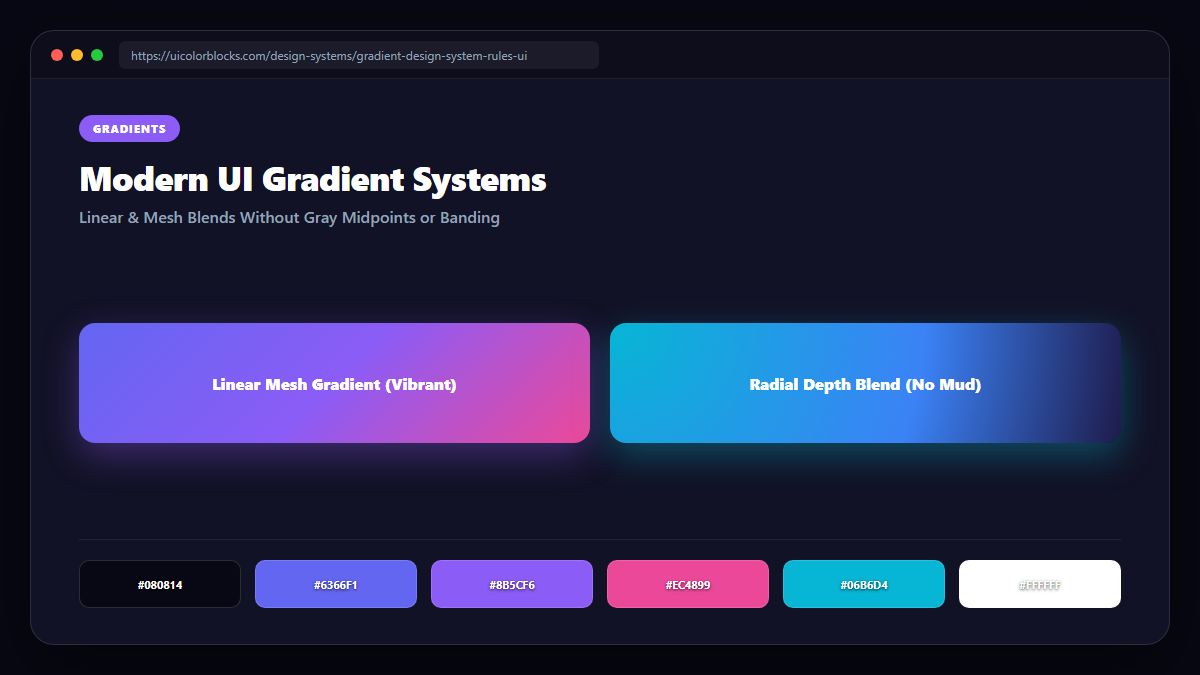
1. Why Traditional CSS Gradients Go Muddy
When browsers interpolate linear-gradient(to right, #3b82f6, #f97316) in legacy sRGB color space, they mathematically average the RGB channels. At 50%, red, green, and blue cancel out, producing a dull, grayish sludge. To fix this, modern CSS allows you to declare the interpolation color space.
/* Legacy vs. Modern Perceptual Gradients */
.gradient-legacy {
  /* Muddy gray midpoint in sRGB */
  background: linear-gradient(90deg, #3b82f6, #f97316);
}

.gradient-modern {
  /* Crisp, vibrant transition in OKLCH */
  background: linear-gradient(in oklch 90deg, #3b82f6, #f97316);
}
2. The Three-Stop Arc Technique for Legacy Browsers
If you must support older browsers that lack CSS Color Module 4, solve the dead zone using the Three-Stop Arc method. Insert an intermediate hue that curves around the color wheel instead of cutting straight through the muddy center.
| Start Hue | Manual Intermediate Stop (50%) | End Hue | Visual Quality |
|---|---|---|---|
| Blue (#2563eb) | Magenta / Violet (#9333ea) | Orange (#f97316) | Vibrant, luminous sunset blend |
| Cyan (#06b6d4) | Emerald (#10b981) | Yellow (#facc15) | Fresh, organic tropical gradient |
| Indigo (#4f46e5) | Rose Pink (#ec4899) | Amber (#f59e0b) | Warm high-energy startup hero |
3. Mesh Gradients with Overlapping Radial Alpha Blends
Linear gradients can feel rigid. High-end product landing pages create fluid mesh atmospheres by stacking 3 to 4 overlapping radial-gradient layers with high blur and 20% opacity over dark canvases.
4. Summary Best Practices for Gradients in Design Systems
Never place thin white body text over complex multi-directional gradients. Restrict gradients to large atmospheric stages and export smooth scales with our Palette Studio.
5. Implementation Blueprint & Token Architecture
Translating theoretical color principles into production code requires consistent design token binding. When engineers hardcode ad-hoc hexadecimal values directly inside component CSS classes, theme parity breaks down and maintaining accessibility becomes an ongoing liability. By adopting disciplined semantic variables, your frontend application can swap themes, adapt to high-contrast operating system preferences, and enforce strict accessibility thresholds across every viewport.
When architecting your color tokens, establish an invariant rule: UI components must consume semantic tokens rather than raw primitives. This abstraction layer ensures that updating your brand identity or adjusting dark mode surface elevations requires changing values in a single centralized design token stylesheet rather than executing search-and-replace across thousands of individual CSS or JSX files.
/* Centralized Design Token Integration Blueprint */
:root {
  --color-canvas-base: #f8fafc;
  --color-surface-card: #ffffff;
  --color-border-subtle: rgba(0, 0, 0, 0.08);
  --color-text-primary: #0f172a;
  --color-text-muted: #64748b;
  --color-interactive-primary: var(--brand-500);
  --color-interactive-hover: var(--brand-600);
}

[data-theme="dark"] {
  --color-canvas-base: #080810;
  --color-surface-card: #16162a;
  --color-border-subtle: rgba(255, 255, 255, 0.08);
  --color-text-primary: #f0f0fa;
  --color-text-muted: #a0a0c0;
  --color-interactive-primary: var(--brand-400);
  --color-interactive-hover: var(--brand-500);
}
For frontend engineering teams using modern utility-first CSS frameworks like Tailwind CSS, export your verified semantic tokens directly into your tailwind.config.js file. This creates autocompleted utility classes such as bg-surface-card and text-interactive-primary, ensuring developers build accessible, harmonious interfaces without leaving their editor.
Put These Tokens into Practice
Explore our interactive design tools to test contrast ratios, generate 50–950 shade steps, or discover harmonious color palettes.