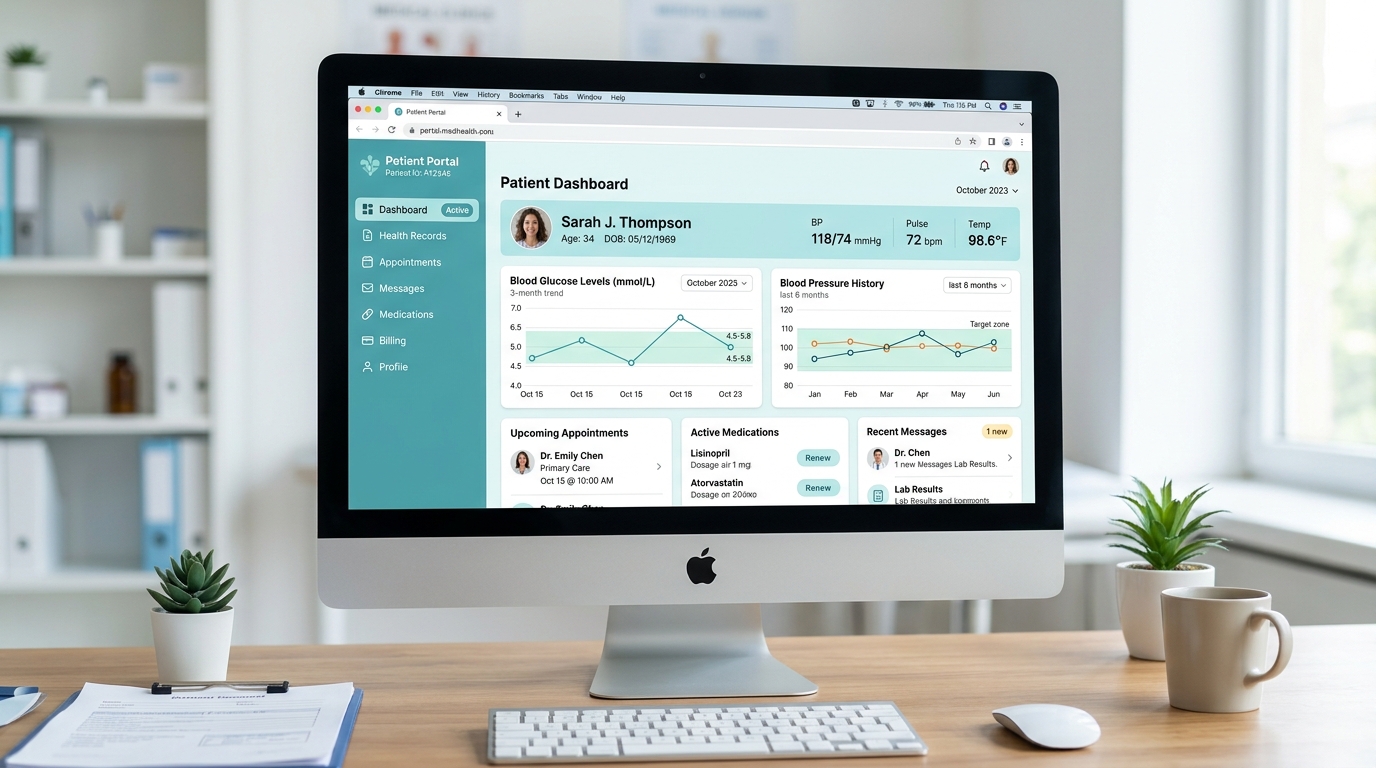
1. The Therapeutic Spectrum: Mints, Teals, and Soft Clinical Blues
Medical facilities have long utilized soft teal and seafoam tones because they counteract eye strain under harsh fluorescent lighting. In digital interfaces, teals (#0d9488, #14b8a6) and soft cerulean blues (#0284c7) communicate clinical sanitation, wellness, and empathetic care without feeling sterile or intimidating.
/* Clinical Healthcare Palette Tokens */
:root {
  --med-canvas: #f8fafc;
  --med-card: #ffffff;
  --med-primary: #0f766e;      /* Deep clinical teal (AA text safe) */
  --med-accent: #14b8a6;       /* Calming mint interactive */
  --med-vital-normal: #059669; /* Stable vitals indicator */
  --med-vital-alert: #e11d48;  /* Immediate clinical triage alert */
}
2. Vital Sign Legibility & Triage Color Coding
In electronic health record (EHR) systems, medical staff glance at heart rate, blood pressure, and oxygen saturation across dozens of patients simultaneously. Standard triage categorization (Emergency Red, Urgent Amber, Stable Green, Routine Blue) must strictly maintain AAA contrast against table rows.
| Triage Level | HEX Code | Luminance Value | Contrast vs #ffffff |
|---|---|---|---|
| Immediate (Red) | #be123c | 12% L | 8.4:1 (AAA Pass) |
| Urgent (Amber) | #b45309 | 18% L | 6.8:1 (AA Pass) |
| Stable (Green) | #047857 | 15% L | 7.2:1 (AAA Pass) |
| Routine (Blue) | #0369a1 | 14% L | 7.6:1 (AAA Pass) |
3. Avoiding "Sterile Dread": The Warmth of Secondary Neutrals
Cold, blue-gray neutrals make medical applications feel bureaucratic and hostile. Introducing subtle warmth into the background canvas (#fbfbf9 or #f7f9f8) humanizes patient portals, fostering reassurance during appointment scheduling.
4. Summary Checklist for MedTech UI Design
Never use color as the sole discriminator of vital status. Always pair vital warning colors with text labels ("Critical", "Elevated", "Normal"). Verify all patient-facing text scales with our WCAG Contrast Guide.
5. Implementation Blueprint & Token Architecture
Translating theoretical color principles into production code requires consistent design token binding. When engineers hardcode ad-hoc hexadecimal values directly inside component CSS classes, theme parity breaks down and maintaining accessibility becomes an ongoing liability. By adopting disciplined semantic variables, your frontend application can swap themes, adapt to high-contrast operating system preferences, and enforce strict accessibility thresholds across every viewport.
When architecting your color tokens, establish an invariant rule: UI components must consume semantic tokens rather than raw primitives. This abstraction layer ensures that updating your brand identity or adjusting dark mode surface elevations requires changing values in a single centralized design token stylesheet rather than executing search-and-replace across thousands of individual CSS or JSX files.
/* Centralized Design Token Integration Blueprint */
:root {
  --color-canvas-base: #f8fafc;
  --color-surface-card: #ffffff;
  --color-border-subtle: rgba(0, 0, 0, 0.08);
  --color-text-primary: #0f172a;
  --color-text-muted: #64748b;
  --color-interactive-primary: var(--brand-500);
  --color-interactive-hover: var(--brand-600);
}

[data-theme="dark"] {
  --color-canvas-base: #080810;
  --color-surface-card: #16162a;
  --color-border-subtle: rgba(255, 255, 255, 0.08);
  --color-text-primary: #f0f0fa;
  --color-text-muted: #a0a0c0;
  --color-interactive-primary: var(--brand-400);
  --color-interactive-hover: var(--brand-500);
}
For frontend engineering teams using modern utility-first CSS frameworks like Tailwind CSS, export your verified semantic tokens directly into your tailwind.config.js file. This creates autocompleted utility classes such as bg-surface-card and text-interactive-primary, ensuring developers build accessible, harmonious interfaces without leaving their editor.
Put These Tokens into Practice
Explore our interactive design tools to test contrast ratios, generate 50–950 shade steps, or discover harmonious color palettes.