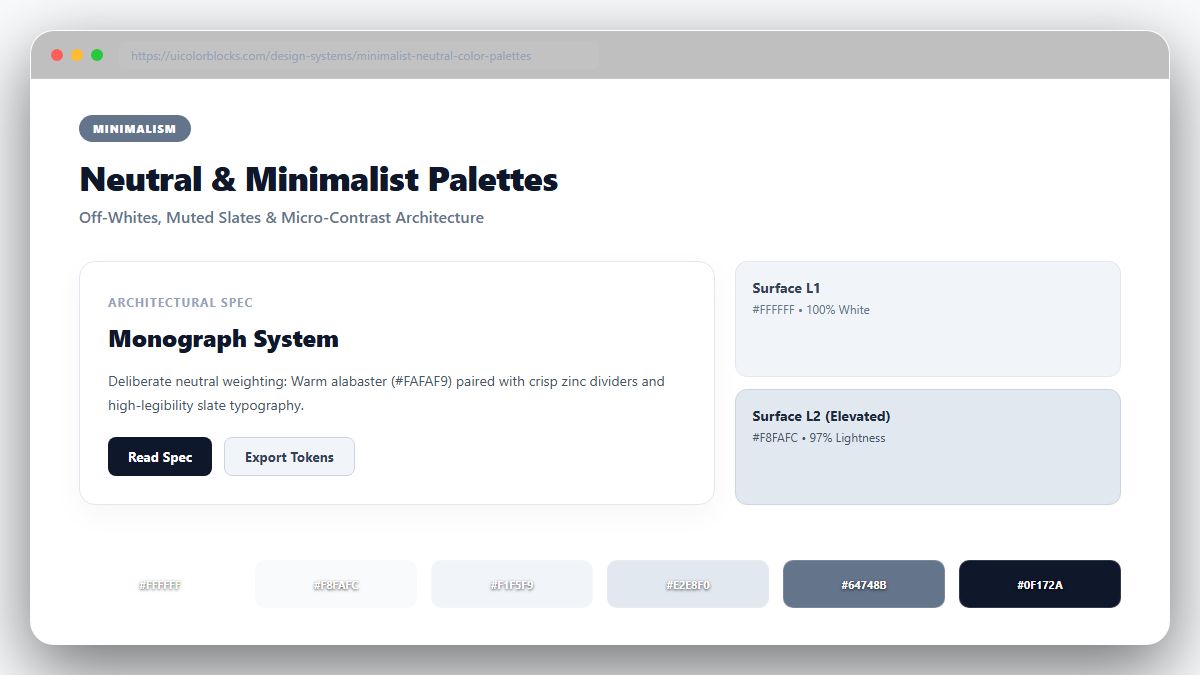
1. The Secret of Color Temperature in "Neutral" Grays
There is no such thing as a truly neutral gray in high-end design. Pure mathematical gray (R=G=B) looks dead, robotic, and uninviting. Luxurious interfaces infuse subtle undertones into their grays: warm stone adds hospitality, cool slate adds technical precision, and zinc adds contemporary fashion appeal.
/* Warm Stone Architectural Neutral Scale */
:root {
  --stone-50:  #fafaf9;        /* Warm porcelain background */
  --stone-100: #f5f5f4;        /* Card surface */
  --stone-200: #e7e5e4;        /* Subtle divider border */
  --stone-500: #78716c;        /* Secondary caption text */
  --stone-800: #292524;        /* Body typography */
  --stone-900: #1c1917;        /* Crisp editorial headings */
}
2. Layering Surfaces Without Borders (Tonal Stacking)
Traditional UI designs draw 1px solid borders around every card. Sophisticated minimalist systems achieve spatial separation through gentle tonal steps: a #fafaf9 page canvas, elevated with #ffffff cards, highlighted on hover with soft 1.5% shadow diffusion.
| Elevation Layer | HEX Value | Border Technique | Visual Depth |
|---|---|---|---|
| App Canvas | #f5f5f4 | None | Base recessed foundation |
| Main Cards | #ffffff | 1px solid rgba(0,0,0,0.04) | Raised structural content |
| Floating Modals | #ffffff | 0 20px 40px rgba(0,0,0,0.06) | Highest spatial focus |
3. Typography as the Sole High-Contrast Anchor
When color is stripped away, typographic weight becomes your primary weapon. Use high-contrast headings (#1c1917 on #fafaf9 provides a massive 15.8:1 contrast ratio) paired with generously spaced line heights to create effortless readability.
4. Key Takeaways for Minimalist Design Systems
Commit to a single undertone family (Warm Stone, Neutral Zinc, or Cool Slate) and stick to it across your entire design token system. Generate complete neutral scales with our Tailwind Shades generator.
5. Implementation Blueprint & Token Architecture
Translating theoretical color principles into production code requires consistent design token binding. When engineers hardcode ad-hoc hexadecimal values directly inside component CSS classes, theme parity breaks down and maintaining accessibility becomes an ongoing liability. By adopting disciplined semantic variables, your frontend application can swap themes, adapt to high-contrast operating system preferences, and enforce strict accessibility thresholds across every viewport.
When architecting your color tokens, establish an invariant rule: UI components must consume semantic tokens rather than raw primitives. This abstraction layer ensures that updating your brand identity or adjusting dark mode surface elevations requires changing values in a single centralized design token stylesheet rather than executing search-and-replace across thousands of individual CSS or JSX files.
/* Centralized Design Token Integration Blueprint */
:root {
  --color-canvas-base: #f8fafc;
  --color-surface-card: #ffffff;
  --color-border-subtle: rgba(0, 0, 0, 0.08);
  --color-text-primary: #0f172a;
  --color-text-muted: #64748b;
  --color-interactive-primary: var(--brand-500);
  --color-interactive-hover: var(--brand-600);
}

[data-theme="dark"] {
  --color-canvas-base: #080810;
  --color-surface-card: #16162a;
  --color-border-subtle: rgba(255, 255, 255, 0.08);
  --color-text-primary: #f0f0fa;
  --color-text-muted: #a0a0c0;
  --color-interactive-primary: var(--brand-400);
  --color-interactive-hover: var(--brand-500);
}
For frontend engineering teams using modern utility-first CSS frameworks like Tailwind CSS, export your verified semantic tokens directly into your tailwind.config.js file. This creates autocompleted utility classes such as bg-surface-card and text-interactive-primary, ensuring developers build accessible, harmonious interfaces without leaving their editor.
Put These Tokens into Practice
Explore our interactive design tools to test contrast ratios, generate 50–950 shade steps, or discover harmonious color palettes.