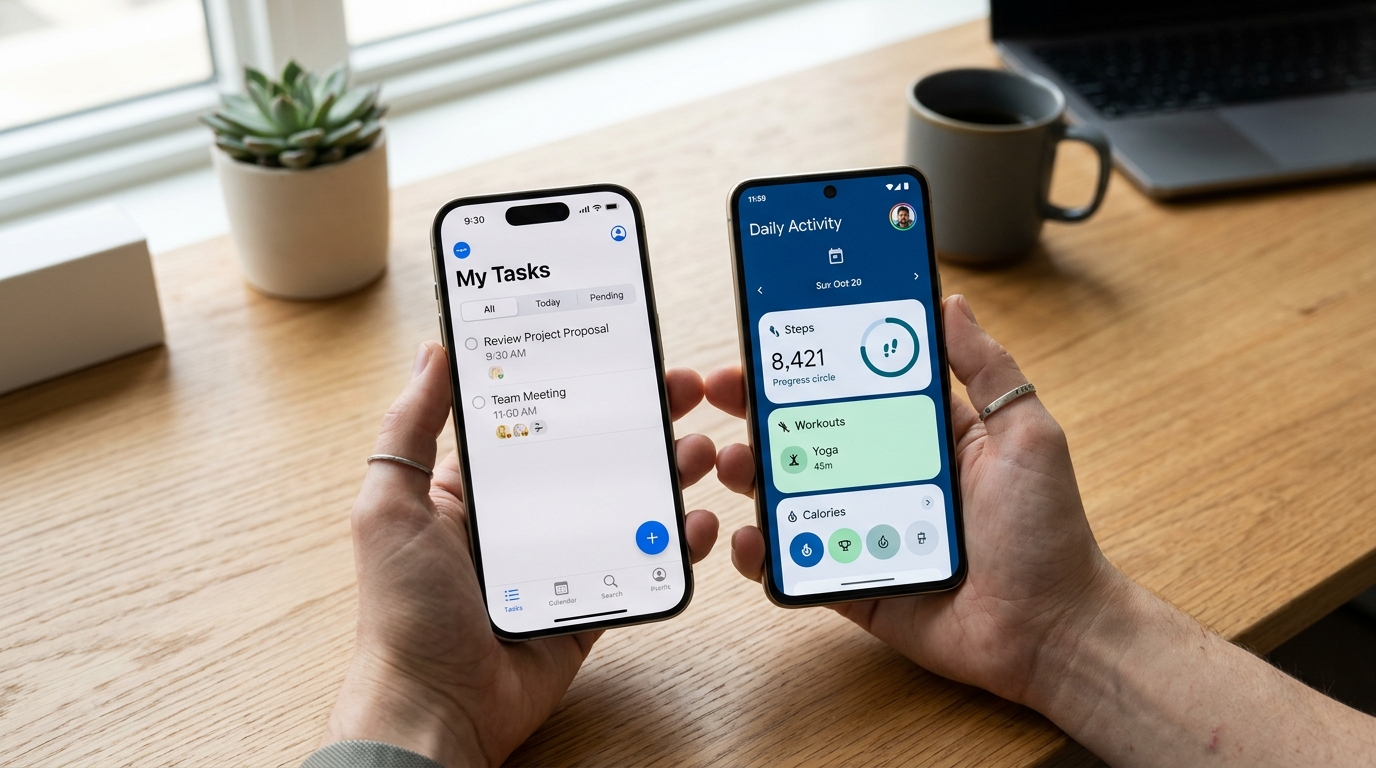
1. Apple iOS HIG: System Tints and Vibrant Accent Restraint
iOS interfaces favor structural minimalism where the native chrome (navigation bar, tab bar) recedes into blurred translucency (UIBlurEffect). Color is applied almost exclusively as an interactive system tint (#007aff blue, #34c759 green, #ff9500 orange). Non-interactive elements remain neutral.
/* iOS Human Interface System Tints */
:root {
  --ios-system-blue: #007aff;
  --ios-system-green: #34c759;
  --ios-system-indigo: #5856d6;
  --ios-system-orange: #ff9500;
  --ios-bg-grouped: #f2f2f7;   /* Light mode grouped table canvas */
  --ios-card-light: #ffffff;
}
2. Android Material 3: Dynamic Tonal Palettes
Google’s Material 3 abandons static primary/secondary pairs in favor of five 13-tone tonal palettes generated from a seed color. Each role (Primary, Secondary, Tertiary, Neutral, Neutral Variant) guarantees calculated contrast pairings between containers and on-container text.
| Material Role | Tonal Level (Light) | Tonal Level (Dark) | Application Target |
|---|---|---|---|
| Primary | Tone 40 (#00629e) | Tone 80 (#9bcbff) | Floating action button & key actions |
| Primary Container | Tone 90 (#cfe5ff) | Tone 30 (#004a79) | Selected navigation items |
| Surface | Tone 98 (#fcfcff) | Tone 6 (#1a1c1e) | Base mobile activity canvas |
3. OLED Black vs. Elevated Surface Grays on Smartphones
While pure #000000 saves minimal battery on OLED screens, rapid scrolling of pure white text over pure black causes purple pixel smearing. High-end native apps utilize dark zinc grays (#121214) to prevent display latency smearing.
4. Summary Checklist for Cross-Platform Mobile Apps
Adapt your design tokens to map cleanly between iOS semantic colors (UIColor.systemBackground) and Android Material tokens (colorSurface). Test both light and dark native modes using our Tailwind Shades generator.
5. Implementation Blueprint & Token Architecture
Translating theoretical color principles into production code requires consistent design token binding. When engineers hardcode ad-hoc hexadecimal values directly inside component CSS classes, theme parity breaks down and maintaining accessibility becomes an ongoing liability. By adopting disciplined semantic variables, your frontend application can swap themes, adapt to high-contrast operating system preferences, and enforce strict accessibility thresholds across every viewport.
When architecting your color tokens, establish an invariant rule: UI components must consume semantic tokens rather than raw primitives. This abstraction layer ensures that updating your brand identity or adjusting dark mode surface elevations requires changing values in a single centralized design token stylesheet rather than executing search-and-replace across thousands of individual CSS or JSX files.
/* Centralized Design Token Integration Blueprint */
:root {
  --color-canvas-base: #f8fafc;
  --color-surface-card: #ffffff;
  --color-border-subtle: rgba(0, 0, 0, 0.08);
  --color-text-primary: #0f172a;
  --color-text-muted: #64748b;
  --color-interactive-primary: var(--brand-500);
  --color-interactive-hover: var(--brand-600);
}

[data-theme="dark"] {
  --color-canvas-base: #080810;
  --color-surface-card: #16162a;
  --color-border-subtle: rgba(255, 255, 255, 0.08);
  --color-text-primary: #f0f0fa;
  --color-text-muted: #a0a0c0;
  --color-interactive-primary: var(--brand-400);
  --color-interactive-hover: var(--brand-500);
}
For frontend engineering teams using modern utility-first CSS frameworks like Tailwind CSS, export your verified semantic tokens directly into your tailwind.config.js file. This creates autocompleted utility classes such as bg-surface-card and text-interactive-primary, ensuring developers build accessible, harmonious interfaces without leaving their editor.
Put These Tokens into Practice
Explore our interactive design tools to test contrast ratios, generate 50–950 shade steps, or discover harmonious color palettes.