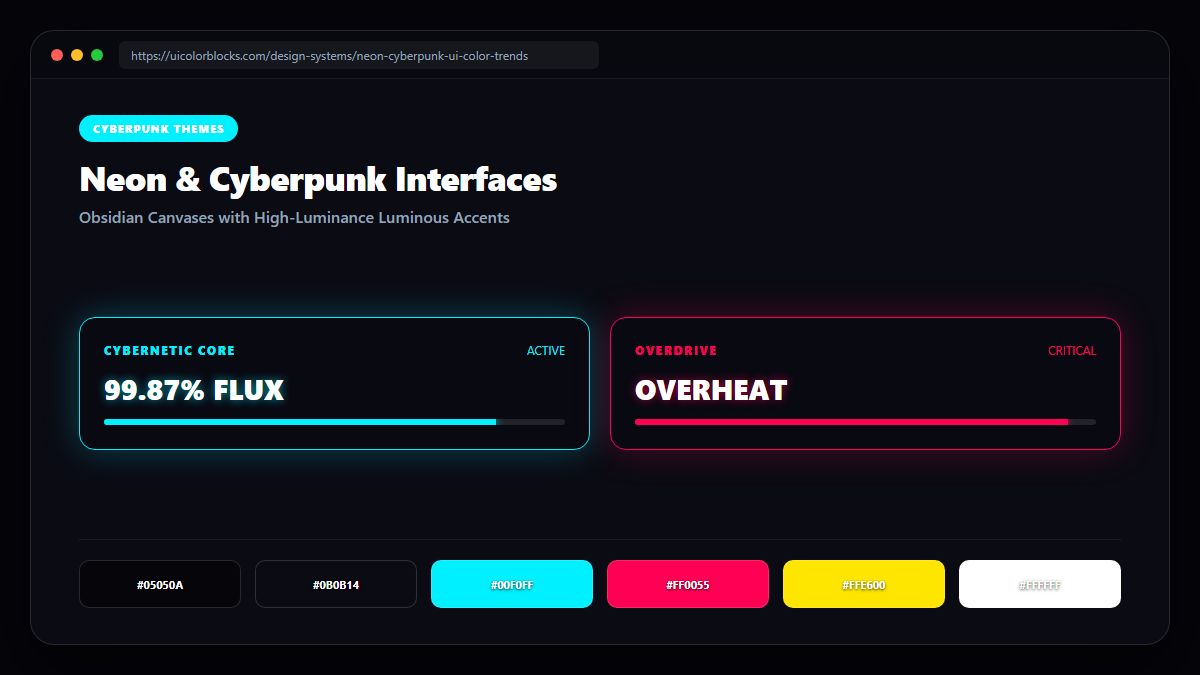
1. The Obsidian Base: Why Pure Black Fails Without Ambient Tint
A rookie mistake in cyberpunk design is using flat #000000 across the entire canvas. Flat black destroys all spatial depth. Master-level cyberpunk styling utilizes deep obsidian blues (#05050a) and rich dark purples (#0a0612), providing a canvas where neon glows can realistically cast ambient specular reflections.
/* Cyberpunk High-Luminance Tokens */
:root {
  --cyber-bg: #05050a;
  --cyber-surface: #0e0e1a;
  --cyber-neon-cyan: #00f0ff;  /* 100% saturation electric cyan */
  --cyber-neon-pink: #ff0055;  /* Laser hot pink */
  --cyber-neon-lime: #ffe600;  /* Acid yellow / lime */
  --cyber-glow-cyan: 0 0 20px rgba(0, 240, 255, 0.45);
  --cyber-border: rgba(0, 240, 255, 0.25);
}
2. Simulating Laser Glows with Multi-Stop Box Shadows
Flat neon borders look like retro vector graphics. To simulate authentic neon lighting in CSS, layer multiple box-shadow blur steps: a tight, intense core glow combined with a wide, dispersed ambient falloff.
| Glow Layer | Blur & Spread | Color Opacity | Visual Effect |
|---|---|---|---|
| Core Highlight | 0 0 4px | rgba(0, 240, 255, 0.9) | Intense luminous cathode core |
| Mid Dispersal | 0 0 16px | rgba(0, 240, 255, 0.4) | Atmospheric ionization glow |
| Ambient Falloff | 0 0 40px | rgba(0, 240, 255, 0.15) | Environmental room reflection |
3. Combatting Cognitive Overload: The 5% Neon Rule
Because neon colors have near-maximum optical luminance, covering more than 5% to 8% of the viewport in neon causes acute eye fatigue. Keep your main headlines in crisp white (#ffffff) or muted silver (#94a3b8) and restrict neon strictly to key borders, active pills, and hero triggers.
4. Summary Best Practices for Neon Aesthetics
Never place neon text directly over mid-gray backgrounds. Ensure text contrast exceeds 7:1 against dark canvases, and experiment with glow parameters in our Palette Studio.
5. Implementation Blueprint & Token Architecture
Translating theoretical color principles into production code requires consistent design token binding. When engineers hardcode ad-hoc hexadecimal values directly inside component CSS classes, theme parity breaks down and maintaining accessibility becomes an ongoing liability. By adopting disciplined semantic variables, your frontend application can swap themes, adapt to high-contrast operating system preferences, and enforce strict accessibility thresholds across every viewport.
When architecting your color tokens, establish an invariant rule: UI components must consume semantic tokens rather than raw primitives. This abstraction layer ensures that updating your brand identity or adjusting dark mode surface elevations requires changing values in a single centralized design token stylesheet rather than executing search-and-replace across thousands of individual CSS or JSX files.
/* Centralized Design Token Integration Blueprint */
:root {
  --color-canvas-base: #f8fafc;
  --color-surface-card: #ffffff;
  --color-border-subtle: rgba(0, 0, 0, 0.08);
  --color-text-primary: #0f172a;
  --color-text-muted: #64748b;
  --color-interactive-primary: var(--brand-500);
  --color-interactive-hover: var(--brand-600);
}

[data-theme="dark"] {
  --color-canvas-base: #080810;
  --color-surface-card: #16162a;
  --color-border-subtle: rgba(255, 255, 255, 0.08);
  --color-text-primary: #f0f0fa;
  --color-text-muted: #a0a0c0;
  --color-interactive-primary: var(--brand-400);
  --color-interactive-hover: var(--brand-500);
}
For frontend engineering teams using modern utility-first CSS frameworks like Tailwind CSS, export your verified semantic tokens directly into your tailwind.config.js file. This creates autocompleted utility classes such as bg-surface-card and text-interactive-primary, ensuring developers build accessible, harmonious interfaces without leaving their editor.
Put These Tokens into Practice
Explore our interactive design tools to test contrast ratios, generate 50–950 shade steps, or discover harmonious color palettes.