1. The Anatomy of Modern Glassmorphism
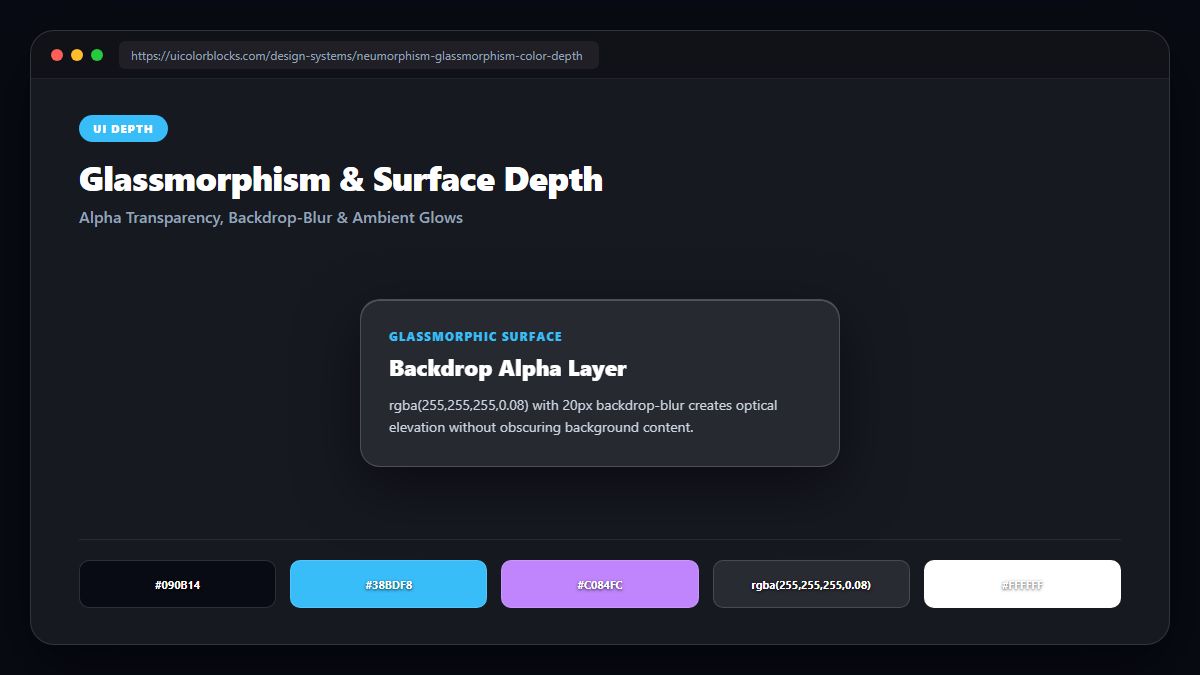
True glassmorphism requires four synchronized CSS properties: a semi-transparent surface (rgba), a backdrop-filter blur, a crisp translucent light border, and soft diffuse ambient drop shadows.
/* Production-Grade Glassmorphism Component */
.glass-card {
  background: rgba(255, 255, 255, 0.05); /* 5% white translucency */
  backdrop-filter: blur(16px);
  -webkit-backdrop-filter: blur(16px);
  border: 1px solid rgba(255, 255, 255, 0.12); /* Subtle glass edge */
  border-radius: 20px;
  box-shadow: 0 16px 40px rgba(0, 0, 0, 0.35);
  color: #f8fafc;
}
2. The Critical Role of High-Contrast Typography over Glass
Because glassmorphic cards reveal whatever colorful background sits behind them, legibility can degrade as users scroll. To guarantee WCAG compliance, never set card background transparency above 25% on content-heavy interfaces.
| Component Layer | Opacity | Blur Radius | Contrast Safety |
|---|---|---|---|
| Modal Dialog | rgba(15, 23, 42, 0.85) | 24px blur | Maximum contrast safety (AAA) |
| Dashboard Card | rgba(255, 255, 255, 0.06) | 16px blur | Requires crisp white text (AA) |
| Floating Nav Bar | rgba(10, 10, 20, 0.70) | 12px blur | Pinned top visibility |
3. Why Neumorphism Failed Where Glassmorphism Succeeded
Neumorphism (soft extruded shadows on identical background color) failed because it fundamentally violated accessibility: buttons had less than 1.5:1 contrast against the canvas. Glassmorphism succeeds because high-contrast text and luminous borders maintain clear component boundaries.
4. Summary Best Practices for Depth & Glass
Always provide a solid background fallback for browsers that do not support backdrop-filter. Test your frosted card legibility with our Contrast Checker.
5. Implementation Blueprint & Token Architecture
Translating theoretical color principles into production code requires consistent design token binding. When engineers hardcode ad-hoc hexadecimal values directly inside component CSS classes, theme parity breaks down and maintaining accessibility becomes an ongoing liability. By adopting disciplined semantic variables, your frontend application can swap themes, adapt to high-contrast operating system preferences, and enforce strict accessibility thresholds across every viewport.
When architecting your color tokens, establish an invariant rule: UI components must consume semantic tokens rather than raw primitives. This abstraction layer ensures that updating your brand identity or adjusting dark mode surface elevations requires changing values in a single centralized design token stylesheet rather than executing search-and-replace across thousands of individual CSS or JSX files.
/* Centralized Design Token Integration Blueprint */
:root {
  --color-canvas-base: #f8fafc;
  --color-surface-card: #ffffff;
  --color-border-subtle: rgba(0, 0, 0, 0.08);
  --color-text-primary: #0f172a;
  --color-text-muted: #64748b;
  --color-interactive-primary: var(--brand-500);
  --color-interactive-hover: var(--brand-600);
}

[data-theme="dark"] {
  --color-canvas-base: #080810;
  --color-surface-card: #16162a;
  --color-border-subtle: rgba(255, 255, 255, 0.08);
  --color-text-primary: #f0f0fa;
  --color-text-muted: #a0a0c0;
  --color-interactive-primary: var(--brand-400);
  --color-interactive-hover: var(--brand-500);
}
For frontend engineering teams using modern utility-first CSS frameworks like Tailwind CSS, export your verified semantic tokens directly into your tailwind.config.js file. This creates autocompleted utility classes such as bg-surface-card and text-interactive-primary, ensuring developers build accessible, harmonious interfaces without leaving their editor.
Put These Tokens into Practice
Explore our interactive design tools to test contrast ratios, generate 50–950 shade steps, or discover harmonious color palettes.