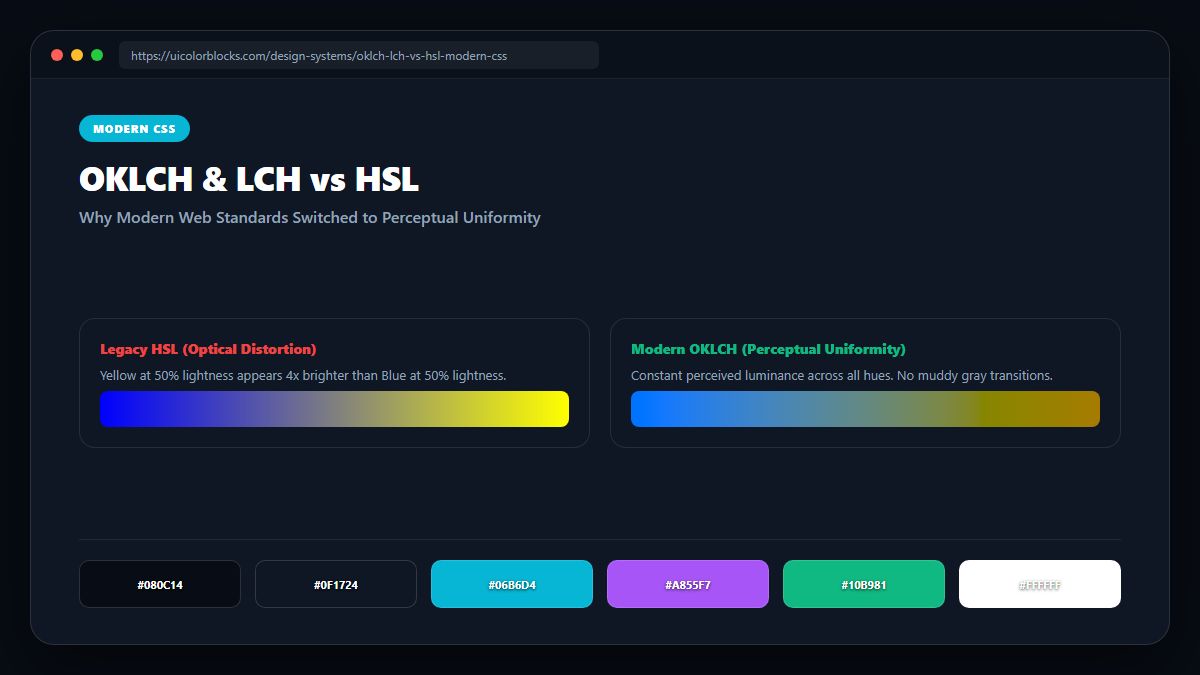
1. The Optical Illusion of HSL Lightness
Human retinas have far more green and red receptors than blue receptors. Consequently, yellow looks blindingly bright while blue looks dark. In HSL, setting lightness to 50% ignores human biology. In OKLCH, a lightness of 0.70 produces the exact same perceived brightness across every single hue angle.
/* Modern CSS OKLCH Color Declarations */
:root {
  /* oklch(Lightness Chroma Hue) */
  --blue-button:   oklch(0.60 0.22 250);
  --yellow-button: oklch(0.60 0.22 90);  /* Equal perceived brightness! */

  /* Smooth CSS Color Transitions */
  --brand-gradient: linear-gradient(
    in oklch to right,
    oklch(0.65 0.25 150),
    oklch(0.65 0.25 250)
  );
}
2. Ending Muddy Gradients with "in oklch" Interpolation
When creating a gradient between Blue and Yellow in legacy RGB space, the midpoint passes through a murky brownish-gray. By adding "in oklch" to CSS linear-gradient, browsers interpolate through natural perceptual chromatic space, preserving vivid luminosity across the entire spectrum.
| Feature | Legacy HSL | Modern OKLCH | Engineering Benefit |
|---|---|---|---|
| Perceptual Lightness | Broken (Yellow >> Blue) | 100% Uniform | Predictable accessibility ratios |
| Color Gamut | sRGB only (clamped) | P3 & Rec.2020 Display | 30% more vivid colors on mobile |
| Gradient Midpoints | Dull, grayish mud | Vibrant, luminous blends | Flawless ambient design glows |
3. Browser Support and Fallback Strategies
OKLCH is now supported in all major evergreen browsers (Chrome 111+, Safari 15.4+, Firefox 113+). For legacy environments, modern build tools like PostCSS automatically output sRGB HEX fallbacks.
4. Summary Recommendations for Frontend Engineers
Adopt OKLCH for dynamic programmatic shade scales and gradients. Experiment with modern color spaces using our Color Code Converter.
5. Implementation Blueprint & Token Architecture
Translating theoretical color principles into production code requires consistent design token binding. When engineers hardcode ad-hoc hexadecimal values directly inside component CSS classes, theme parity breaks down and maintaining accessibility becomes an ongoing liability. By adopting disciplined semantic variables, your frontend application can swap themes, adapt to high-contrast operating system preferences, and enforce strict accessibility thresholds across every viewport.
When architecting your color tokens, establish an invariant rule: UI components must consume semantic tokens rather than raw primitives. This abstraction layer ensures that updating your brand identity or adjusting dark mode surface elevations requires changing values in a single centralized design token stylesheet rather than executing search-and-replace across thousands of individual CSS or JSX files.
/* Centralized Design Token Integration Blueprint */
:root {
  --color-canvas-base: #f8fafc;
  --color-surface-card: #ffffff;
  --color-border-subtle: rgba(0, 0, 0, 0.08);
  --color-text-primary: #0f172a;
  --color-text-muted: #64748b;
  --color-interactive-primary: var(--brand-500);
  --color-interactive-hover: var(--brand-600);
}

[data-theme="dark"] {
  --color-canvas-base: #080810;
  --color-surface-card: #16162a;
  --color-border-subtle: rgba(255, 255, 255, 0.08);
  --color-text-primary: #f0f0fa;
  --color-text-muted: #a0a0c0;
  --color-interactive-primary: var(--brand-400);
  --color-interactive-hover: var(--brand-500);
}
For frontend engineering teams using modern utility-first CSS frameworks like Tailwind CSS, export your verified semantic tokens directly into your tailwind.config.js file. This creates autocompleted utility classes such as bg-surface-card and text-interactive-primary, ensuring developers build accessible, harmonious interfaces without leaving their editor.
Put These Tokens into Practice
Explore our interactive design tools to test contrast ratios, generate 50–950 shade steps, or discover harmonious color palettes.