Website Color Schemes: The Complete UI Designer's Guide (2026)
Choosing a website color scheme is far more than an artistic exercise—it is the structural foundation of your product's user experience. In modern web engineering, color determines visual hierarchy, readability, brand trust, and conversion rates. This guide details the mathematical principles, industry formulas, and production-ready design tokens required to engineer elite color schemes.
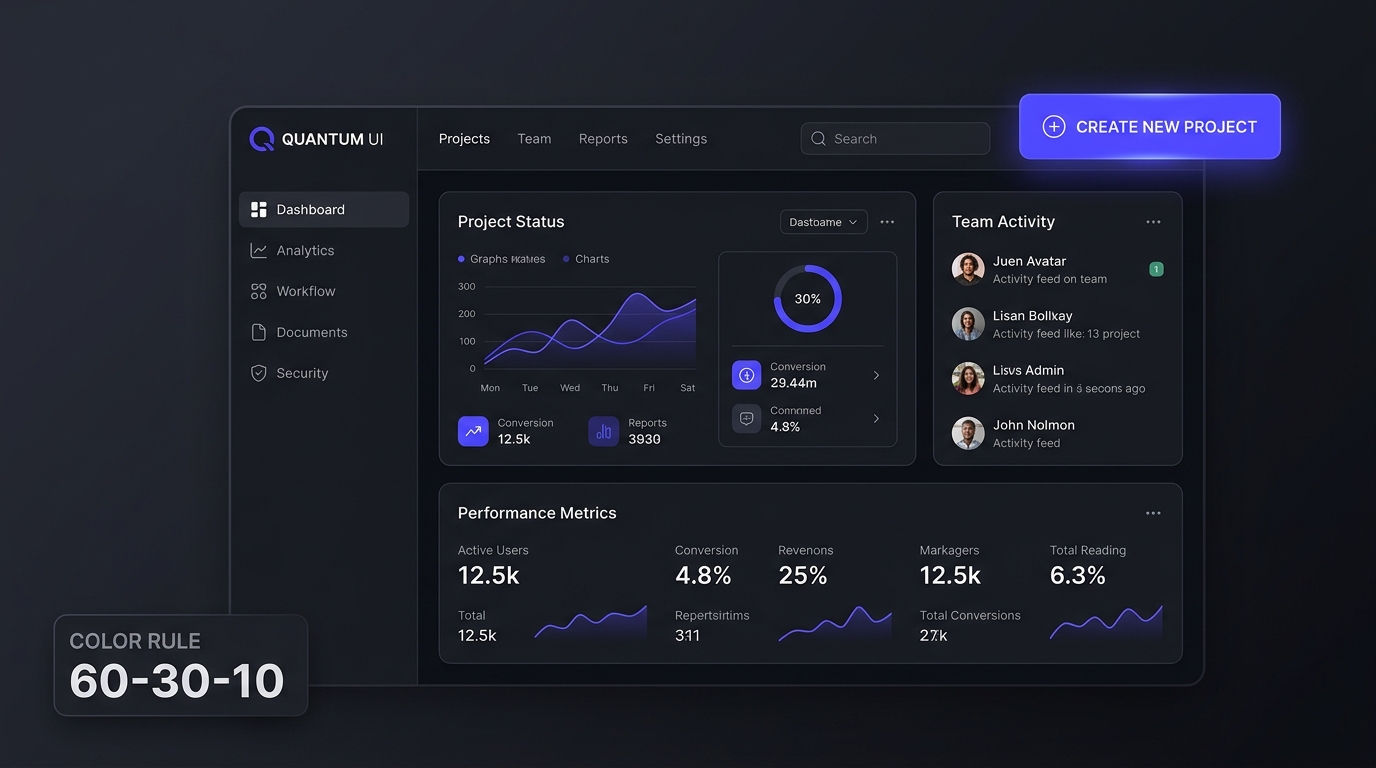
1. The Four Foundational Layers of a Website Color Scheme
Beginner designers often make the catastrophic mistake of choosing colors purely for their aesthetic vibrance. When implemented across real software, users are greeted with neon backgrounds and low-contrast text that causes eye fatigue within seconds. High-performing digital products divide color schemes into four strict functional layers:
- Surface Neutrals (60%): Slate, stone, or warm gray tones that form the background canvas, elevated cards, dialog modals, and table containers.
- Structural Text & Borders (30%): High-contrast typography colors calibrated to guarantee effortless legibility, paired with subtle border tokens for bounding interactive inputs.
- Brand Action Accents (10%): Saturated hues (such as electric royal blue, emerald green, or vibrant violet) reserved solely for interactive triggers: primary buttons, active links, and tab selections.
- Semantic Feedback Tokens: Universal functional cues for success (#10B981), destructive warnings (#EF4444), attention (#F59E0B), and system information (#3B82F6).
2. Proven Modern Website Color Schemes with Real HEX Codes
Below are four battle-tested color schemes across dominant digital sectors, complete with verified contrast metrics and semantic role mappings:
3. The 60-30-10 Rule in UI Layouts
Originally an interior architecture guideline, the 60-30-10 rule is the secret weapon of elite digital design systems. It enforces visual calm and guarantees that interactive elements are instantly discoverable:
- 60% Dominant Background: In light mode, this is off-white (#F8FAFC) or ivory (#FAFAFA); in dark mode, this is deep slate (#0F172A) or obsidian (#121212). It gives your content room to breathe.
- 30% Secondary Elements: Sidebar navigation panels, table header fills, card boundaries, and secondary metadata typography (#64748B).
- 10% Accent CTAs: The focal point of your user interface. If everything is bright and highlighted, nothing is highlighted. Reserve this vivid hue solely for purchase buttons, active filter states, and conversion funnels.
4. Production CSS Design Tokens Implementation
To build maintainable, responsive web applications, never hardcode HEX values directly inside individual component CSS rules. Instead, define semantic variables at the root level and override them seamlessly for dark mode:
:root {
  /* Surface Tokens (60%) */
  --color-surface-base: #F8FAFC;
  --color-surface-card: #FFFFFF;
  --color-surface-elevated: #F1F5F9;

  /* Typography & Structural Tokens (30%) */
  --color-text-primary: #0F172A;
  --color-text-secondary: #475569;
  --color-border-subtle: #E2E8F0;

  /* Interactive Accent (10%) */
  --color-accent-brand: #2563EB;
  --color-accent-hover: #1D4ED8;
  --color-accent-contrast: #FFFFFF;

  /* Semantic Feedback */
  --color-success: #10B981;
  --color-warning: #F59E0B;
  --color-danger: #EF4444;
}

[data-theme="dark"] {
  --color-surface-base: #0B0F19;
  --color-surface-card: #151C2C;
  --color-surface-elevated: #1E293B;

  --color-text-primary: #F8FAFC;
  --color-text-secondary: #94A3B8;
  --color-border-subtle: #334155;

  --color-accent-brand: #38BDF8;
  --color-accent-hover: #0EA5E9;
  --color-accent-contrast: #0B0F19;
}
5. WCAG 2.1 Contrast Testing & Accessibility
An inaccessible website color scheme does not just alienate users with visual impairments—it directly damages SEO performance and conversions. Under the Web Content Accessibility Guidelines (WCAG 2.1):
- Level AA Standard Text: Requires a minimum contrast ratio of 4.5:1 for normal body text (below 18pt regular or 14pt bold).
- Level AA Large Text: Requires at least 3.0:1 for headlines (18pt+ or 14pt bold).
- UI Component Borders & Form Fields: Must achieve at least 3.0:1 against surrounding background surfaces.
Before deploying any palette to production, run your foreground and background pairs through our interactive WCAG Color Contrast Checker to instantly verify compliance.
Website Color Schemes FAQs
What is the 60-30-10 rule for website color schemes? +
How many colors should a website color scheme have? +
How do I test my website color scheme for accessibility? +
Ready to Build Your Website Color Scheme?
Explore over 400 hand-curated UI palettes, generate custom 50-950 Tailwind shades, or test contrast in real time.
Interactive State Architecture: Hover, Active, and Focus Tokens
A static color palette is only half of a functional design system. In modern web applications, every interactive element—buttons, tabs, menu items, table rows—transitions through dynamic states based on user input. Designing consistent micro-interaction tokens ensures predictability and tactile feedback.
| Interaction State | Luminance Shift Strategy | Sample Primary Token | Sample CSS Variable |
|---|---|---|---|
| Default / Rest | Base brand token (WCAG 4.5:1 on background) | #2563EB (Royal Blue 600) |
--btn-primary-bg: #2563EB; |
| Hover (Pointer) | Darken by 8% to 12% in light mode; lighten in dark mode | #1D4ED8 (Blue 700) |
--btn-primary-hover: #1D4ED8; |
| Active (Pressed) | Darken by an additional 6% + 1px inset shadow | #1E40AF (Blue 800) |
--btn-primary-active: #1E40AF; |
| Focus Visible | 2px outline offset with 3:1 contrast against adjacent surface | #93C5FD (Blue 300 ring) |
--focus-ring-color: #93C5FD; |
| Disabled | Desaturate to neutral gray + reduce opacity to 40% | #94A3B8 (Slate 400) |
--btn-disabled-bg: #E2E8F0; |
WCAG 2.2 Success Criterion 2.4.11 (Focus Appearance) mandates that keyboard focus indicators must maintain at least a 3:1 contrast ratio against the unfocused state and the surrounding page background. When implementing custom CSS outline rules, avoid removing browser outlines without providing a dedicated replacement:
/* Accessible Focus Ring Implementation */
.btn-primary:focus-visible {
  outline: 2px solid var(--focus-ring-color, #93C5FD);
  outline-offset: 2px;
  box-shadow: 0 0 0 4px rgba(37, 99, 235, 0.25);
}