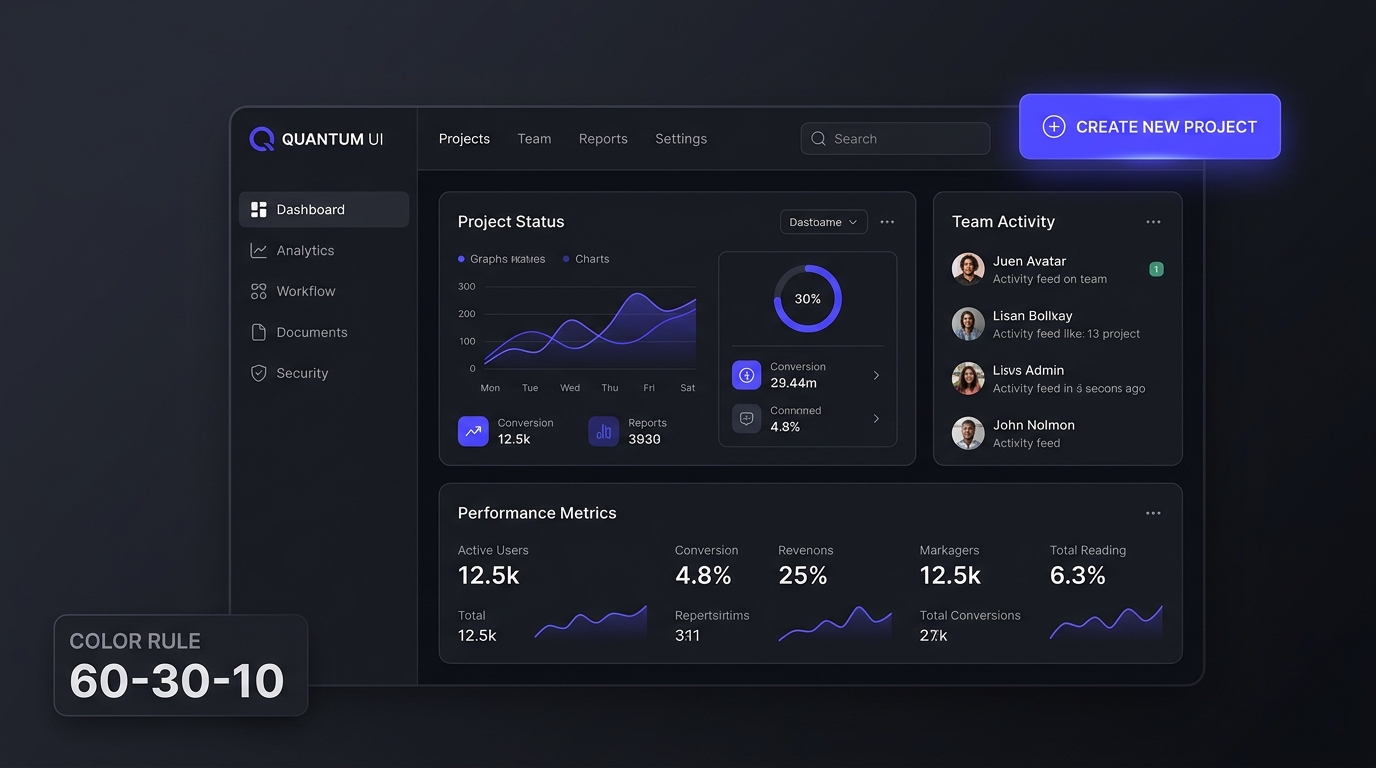
The Problem: The "Everywhere Color" Anti-Pattern
Walk through any collection of beginner web templates or early-stage startups, and you will immediately spot a universal symptom: color fatigue. You see bright royal blue buttons, bright blue card borders, blue icons, blue table headers, and a faint blue gradient wash in the hero section. When every interactive and structural element screams for attention using the same saturated hue, nothing stands out.
The human visual cortex parses interfaces through contrast and hierarchy. When color saturation is smeared evenly across an entire screen, users experience cognitive friction. They pause, squint, and hunt for the primary call to action. In e-commerce and SaaS, this friction directly reduces conversion rates.
To fix this, modern product designers borrow a battle-tested rule from interior architecture: the 60-30-10 rule.
What Exactly is the 60-30-10 Rule in UI Design?
The 60-30-10 rule is an optical distribution framework that divides your visual canvas into three distinct, non-competing layers:
-
60% Dominant Base (Canvas & Background): Your foundational neutral background. In light mode, this is typically crisp white (
#FFFFFF) or soft off-white (#F8FAFC). In dark mode, it is deep obsidian or midnight slate (#080810or#0F172A). It creates visual breathing room and guarantees high typography contrast. -
30% Secondary Structure (Cards, Navigation, Dividers): The supportive layer that creates spatial hierarchy. This includes sidebar menus, card backgrounds, modal dialogs, data table alternating rows, and border dividers. In dark mode, this is your elevated slate surface (
#1E293B); in light mode, it is clean gray (#F1F5F9). -
10% Intentional Accent (Conversion & Primary Action): Your high-impact brand color (
#6366F1,#2563EB, or#10B981). This color is strictly rationed for the most critical interactive triggers: primary "Buy Now" or "Create Project" buttons, active navigation indicators, and key metric badges.
Core Rule: If you find yourself using your primary brand color on passive container borders or subtle backgrounds, you are diluting your 10% accent. Save pure saturation exclusively for items the user can click, tap, or must immediately notice.
Step-by-Step: Implementing 60-30-10 with Modern CSS Tokens
Rather than hardcoding arbitrary hex codes across your stylesheets, translate the 60-30-10 hierarchy directly into CSS Custom Properties. This creates a scalable token architecture that makes theme switching effortless:
The "Squint Test": Validating Visual Balance
How do you verify whether your web page actually adheres to the 60-30-10 distribution? Use the time-honored Squint Test:
- Open your live webpage or design mockup in full screen.
- Lean back 2 feet and squint your eyes until all text blurs into soft gray shapes.
- Look at where your gaze naturally lands. Does your eye effortlessly snap to the single primary action button? If so, your 10% accent is perfectly isolated.
- If your eyes bounce erratically between five different vibrant blue rectangles, headers, and banners, your accent color has exceeded 10% and is creating sensory competition.
Practical Color Pairings that Obey 60-30-10
Here are three production-tested color combinations crafted with our Palette Studio that naturally deliver harmonious balance:
1. Modern Fintech & Developer SaaS (Obsidian & Electric Indigo)
- 60% Base:
#080810(Obsidian Black) - 30% Structure:
#16162A(Midnight Navy Surface) withrgba(255,255,255,0.08)borders - 10% Accent:
#6366F1(Electric Indigo) with#FFFFFFbold text
2. Clean Healthtech & Productivity (Crisp Slate & Emerald Teal)
- 60% Base:
#F8FAFC(Ultra-light Slate canvas) - 30% Structure:
#FFFFFF(Clean white cards) with#E2E8F0borders - 10% Accent:
#0D9488(Deep Emerald Teal) for callouts and conversion triggers
3. Creative Portfolio & Agency (Warm Charcoal & Sunset Amber)
- 60% Base:
#121113(Warm Charcoal canvas) - 30% Structure:
#1E1C21(Elevated warm cards) - 10% Accent:
#F59E0B(Luminous Amber) for punchy project tags and buttons
Explore Next Steps
Building a cohesive design system begins with testing contrast balance and exploring harmonious token shades. Use our free suite of color tools to engineer your next interface:
- Explore over 400 curated themes organized by industry in our UI Palettes Library.
- Calculate exact 50-950 Tailwind color scales from any base hex with our Color Shades Generator.
- Verify mathematical AA and AAA contrast ratings with our WCAG Contrast Checker.
- Browse our complete collection of 100,000+ procedural HSL hues in the Color Matrix.